
Introduction

To get started, simply place down a Computer of any tier and place a Screen of any tier on top (although any side would work). Then open the computer's GUI and place a Mainboard, a Hard Disk Drive (optional) and an Advanced OS installation Floppy Disk (craftable by combining a normal floppy with a regular book in a crafting table).
Next, simply press the power button in the GUI, or shift-rightclick the computer with an empty hand. This will make the computer's run state indicator change color to green and display text on the screen.
-
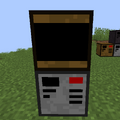 Sample computer setup unstarted
 -
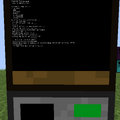 Sample computer setup running

